| PL-900 EXAM TOPIC | BEGINNER FRIENDLY | ~5 MIN READ |
Building a useful AI chatbot used to mean hiring developers, picking a framework, integrating language models, and stitching channels together by hand. Microsoft Copilot Studio collapses that work into a low-code experience where business users and IT pros can build, test, and publish branded AI agents in days, not months.
What Is Microsoft Copilot Studio?
Copilot Studio is the end-to-end, low-code platform in the Power Platform for designing, testing, and publishing AI agents (also called copilots or chatbots). With it, organizations can build branded conversational and autonomous agents that connect to their business data, run actions through connectors and Power Automate, and deploy across many channels — Microsoft Teams, websites, mobile apps, and Microsoft 365 Copilot.
The platform is powered by the Azure OpenAI Service, so agents can hold natural conversations and generate answers from your data without you having to script every possible question. Makers can author agents using a graphical canvas, natural-language description, or both.
Key Concepts to Know
Agents, Topics, and Trigger Phrases
An agent in Copilot Studio handles a range of conversations and tasks. Each conversation is built from topics — small, focused conversations on a specific subject — and each topic is started by trigger phrases (the things a user might say). Inside topics, makers can branch the conversation, ask questions, and store information using variables and entities.
Knowledge Sources and Generative Answers
Agents can be grounded in knowledge sources such as websites, SharePoint sites, Dataverse, files, and more. With generative answers — powered by Azure OpenAI — the agent can respond conversationally from those sources without needing a predefined topic for every question. This is one of the platform’s most-tested features.
Authoring Experience
Copilot Studio offers two authoring options that work together: a graphical authoring canvas (drag-and-drop topics, nodes, and conditions) and natural-language description (“Build an agent that helps employees book meeting rooms”). Makers test the agent in a built-in test chat panel before publishing.
Channels and Deployment
Once built, agents can publish to many channels:
- Microsoft Teams — for internal-facing employee agents.
- Websites — embedded as a chat experience for customers.
- Mobile apps and Facebook — plus any channel supported by Azure Bot Service.
- Microsoft 365 Copilot — as agent extensions that customize Copilot for specific tasks.
Power Platform Integration
Because Copilot Studio is part of the Power Platform, agents can use prebuilt or custom connectors to reach business data and trigger Power Automate flows for actions (for example, creating a ticket, sending an email, or updating a record). Environments, security, and governance work the same way as the rest of the Power Platform.
The Business Value
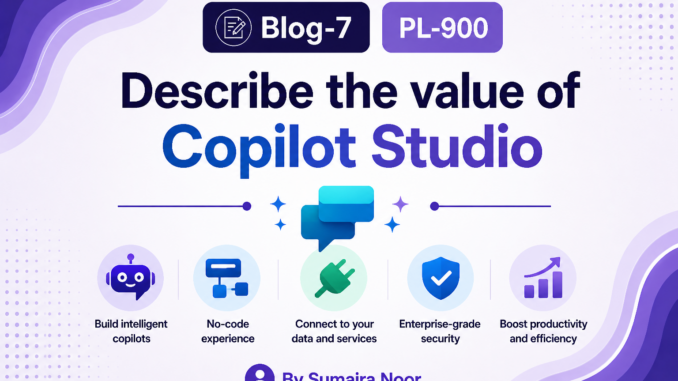
- Low-code agent building — create agents through natural language or a visual canvas, with no deep coding required.
- Multi-channel reach — publish the same agent to Teams, websites, mobile apps, and Microsoft 365 Copilot.
- Grounded in your data — connect to websites, SharePoint, files, and Dataverse for accurate, contextual answers.
- Generative AI built in — Azure OpenAI lets agents answer naturally without a topic for every case.
- Tight Power Platform integration — use connectors, Power Automate flows, and Dataverse without leaving the agent.
- Enterprise-grade governance — admin controls, DLP, environments, and authentication match the rest of the platform.
Common Use Cases
| Scenario | Solution Using Copilot Studio |
| Customer-support chatbot on a website | Standalone agent grounded in product docs and FAQs |
| HR self-service agent in Microsoft Teams | Internal agent published to Teams, connected to HR data |
| Extend Microsoft 365 Copilot for sales | Agent extension grounded in CRM and sales materials |
| Internal IT helpdesk agent | Conversational agent grounded in IT SharePoint and KB articles |
Quick Reference
| Feature | What to Know |
| Definition | Low-code platform for building, managing, and publishing AI agents (copilots). |
| Powered by | Azure OpenAI Service. |
| Authoring | Graphical canvas plus natural-language description. |
| Building blocks | Topics, trigger phrases, knowledge sources, entities, variables, tools. |
| Generative answers | AI-generated responses grounded in your knowledge sources. |
| Deployment channels | Teams, websites, mobile apps, Facebook, M365 Copilot, Azure Bot Service channels. |
| Power Platform integration | Connectors, Power Automate flows, Dataverse, environments. |
| Licensing | Standalone, included with Microsoft 365 Copilot, or pay-as-you-go (Copilot Credits). |
| Governance | Power Platform admin center; respects DLP, environments, and authentication. |
Key Takeaways
Focus on what Copilot Studio is, the agent-building blocks, and how it differs from the other Power Platform services. Copilot Studio is specifically about creating AI agents — not apps, flows, sites, or tables — and its multi-channel reach is one of the most testable points.
| Keep going on your PL-900 journey If this helped, save it for revision and explore the rest of the series. #PL900 #PowerPlatform #CopilotStudio #AIAgents #MicrosoftLearn |
PL-900 EXAM PREPARATION · MICROSOFT POWER PLATFORM FUNDAMENTALS
Leave a Reply