
| PL-900 EXAM TOPIC | BEGINNER FRIENDLY | ~5 MIN READ |
Dataverse organizes business data similarly to traditional relational systems — using tables, columns, and relationships. What makes it more than just a database is its metadata-driven design, rich business logic capabilities, security model, and wide range of built-in column types. This is one of the most foundational Dataverse concepts on the PL-900 exam.
Tables: The Containers
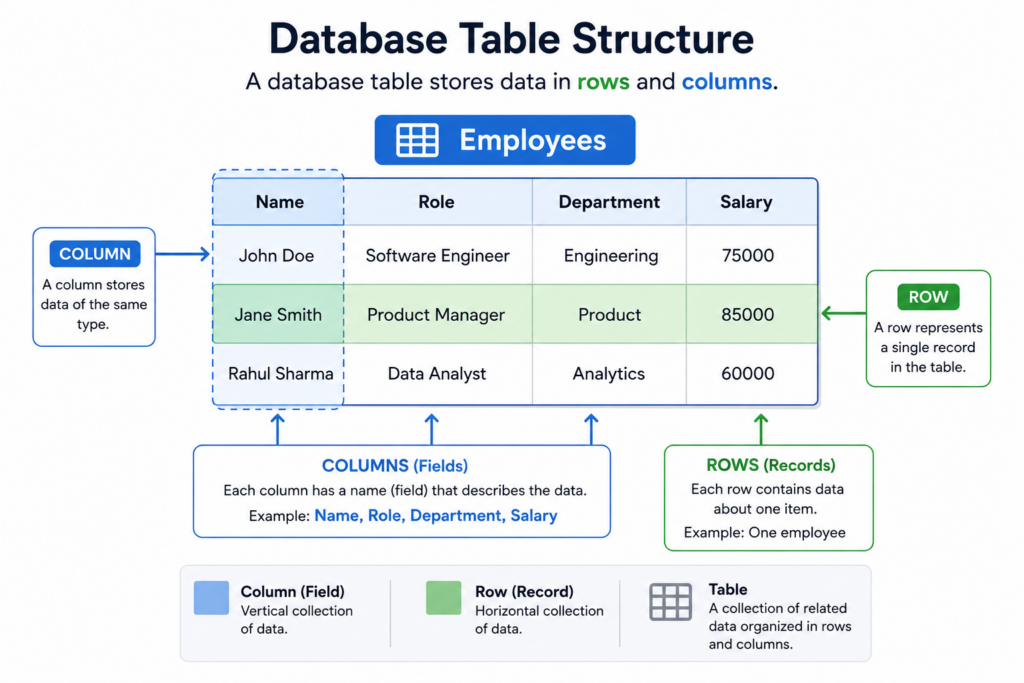
A table in Dataverse stores a specific type of business information — Employees, Departments, Leave Requests, or Training Courses. Each row represents a single record (one employee, one leave request), while each column stores details about that record, such as Employee Name, Start Date, or Approval Status. Most makers design solutions by thinking in tables and how those tables connect.
The Four Types of Tables
- Standard tables — built into Dataverse out of the box. Common examples include Account, Contact, and User.
- Activity tables — used to track actions and interactions, such as Task, Email, Phone Call, and Appointment.
- Custom tables — created by makers to support unique business needs, such as Employees, Leave Requests, or Training Courses.
- Virtual tables — display data from external systems, such as SQL Server, without copying the data into Dataverse.
The Primary Name Column
Every table has a primary name column — the default text label users see in lookups, views, and search. For an Employee table, it might be the employee’s full name; for a Training Course table, it could be the course title. Choosing a meaningful primary name column is a small design detail that makes apps easier and more professional to use.
Columns: The Fields That Hold Your Data
Columns define what kind of data a table stores. Dataverse supports many column types beyond simple text and numbers — such as choices, lookups, files, and dates. The column type selected during design affects how users interact with the data and what business rules, automation, and validations can be applied.
Common Column Data Types
| Column Type | What It Stores | Real Example (HR Scenario) |
|---|---|---|
| Single line of text | Short text values | “John Doe”, “Software Engineer” |
| Multiple lines of text | Longer notes or descriptions | “John requested leave for personal travel from May 20 to May 25.” |
| Whole number | Integers without decimals | 28 (age), 5 (years of experience) |
| Decimal number | Numbers with decimals | 4.5 (performance rating) |
| Currency | Monetary values | ₹25,000 salary |
| Date and time | Date with time value | 2026-05-13 09:30 AM |
| Date only | Only date (no time) | 2026-06-01 (joining date) |
| Choice (single select) | Predefined options (one selection) | “Pending”, “Approved”, “Rejected” |
| Multi-select choice | Multiple predefined options | “HR”, “IT”, “Finance” (skills or departments) |
| Yes/No | Boolean values (true/false) | Yes (Is Active Employee) |
| Lookup | Reference to another table row | Employee → references “John Doe” record |
| Customer | Special lookup (Account or Contact only) | “Contoso Ltd” (Account) or “John Doe” (Contact) |
| Autonumber | System-generated unique ID | “EMP-2026-0007”, “REQ-0142” |
| File | Stores documents | “LeaveRequest_JohnDoe.pdf” |
| Image | Stores images | Employee profile photo |
| Calculated column | Derived using logic | Full Name = First Name + Last Name |
| Rollup column | Aggregates related records | Total Leave Taken = SUM of Leave Requests |
| Formula column (Power Fx) | Dynamic calculation using Power Fx | Leave Balance = 30 – TotalLeaveTaken |
Required, Recommended, or Optional
Each column in Microsoft Dataverse can be configured as Required, Business Recommended, or Optional.
- Optional columns do not require a value.
- Required columns must have a value before a record can be saved in standard user interfaces, helping ensure essential data is always captured.
- Business Recommended columns are highlighted to users as important, but records can still be saved without them.
Relationships: How Tables Connect
In Microsoft Dataverse, relationships define how tables are connected to each other. Beyond just linking data, Dataverse also controls what happens to related records when actions like delete, assign, or share are performed.
This is managed through relationship behaviors, which determine how parent and child records interact.
The main types of relationship behaviors are:
- Referential
- Parental
- Custom (Configurable cascading)
Each behavior controls cascade rules such as delete, assign, share, unshare, and reparent actions.
👉 For a detailed explanation with examples and cascade rule breakdowns, you can refer to the full blog post here:
https://sumairanoor.com/2026/04/12/understanding-relationship-behaviors-in-dataverse-dynamics-365-referential-parental-custom-cascade-rules/
The Business Value
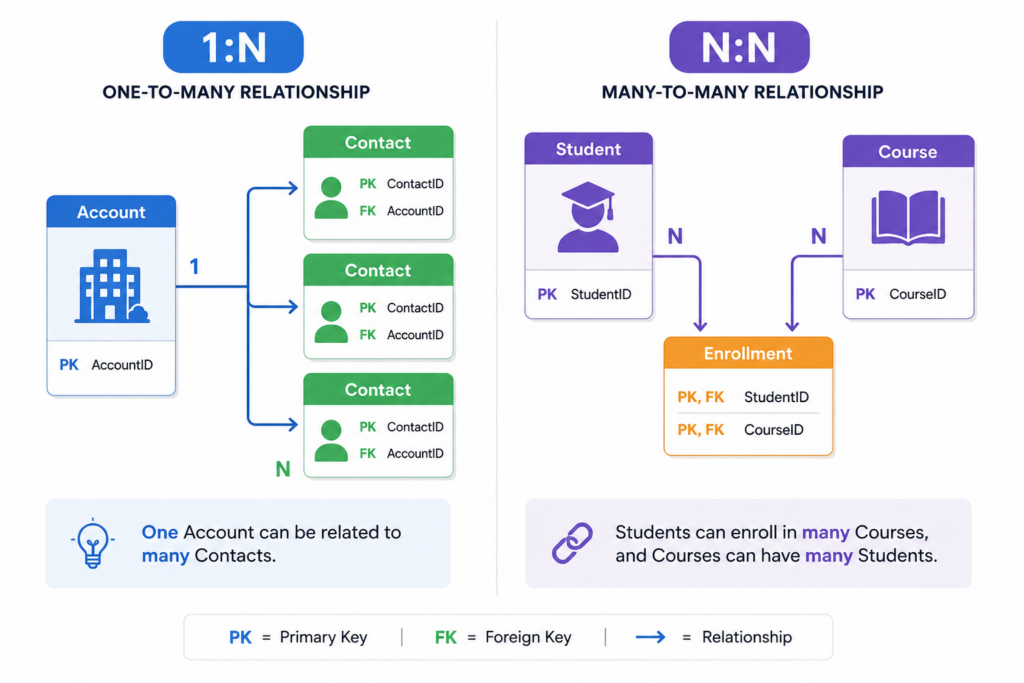
Microsoft Dataverse provides several key advantages that make it a powerful foundation for low-code business applications:
- Easy to understand — Uses a simple structure of tables, columns, and rows.
- Handles real business data — Supports text, numbers, dates, choices, files, and more.
- Built-in relationships — Data can be linked together without coding or SQL.
- Prebuilt tables save time — Use ready-made tables like Account, Contact, and User instead of building everything from scratch.
- Consistent across apps — The same data structure works across Power Apps, Power Automate, and other Power Platform tools.
- Faster development with AI — Copilot can help create tables and fields using plain English in supported environments.
Common Use Cases
| Scenario | What You Would Build in Microsoft Dataverse |
|---|---|
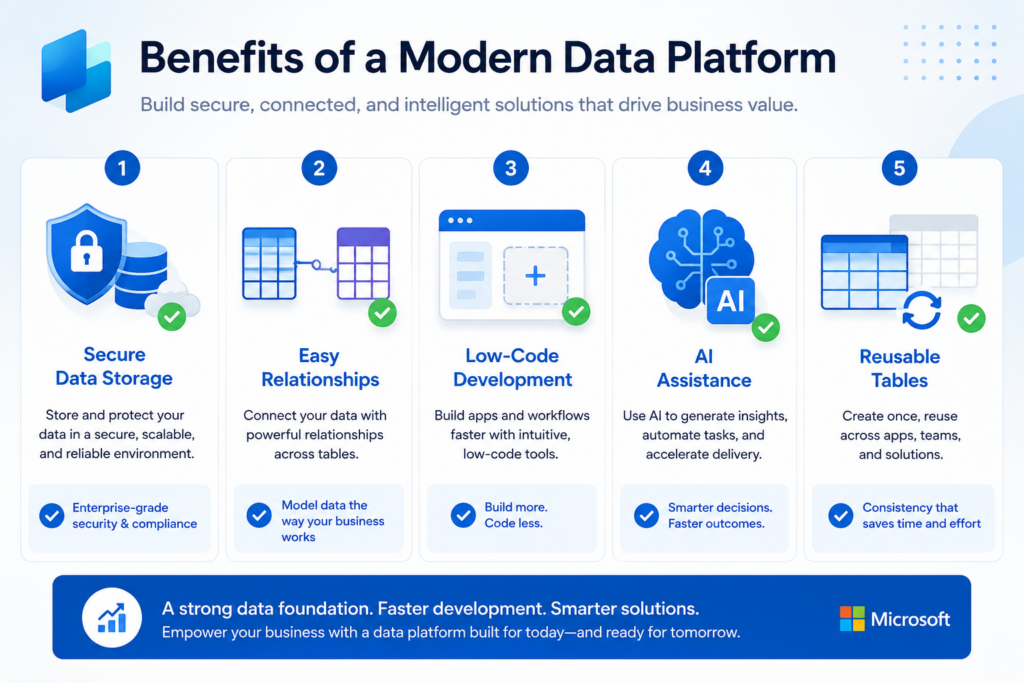
| Track customers and their orders | Account (standard) + Order (custom) with a 1:N relationship |
| Manage students and courses | Student and Course (custom) with an N:N relationship |
| Capture support tickets | Case table (standard) with attachments using File column or Notes |
| Calculate total revenue per customer | Rollup column on Account aggregating related Order records |
| Reuse Microsoft’s customer model | Use standard Account and Contact tables |
Quick Reference
| Concept | What to Know |
| Table | A container of related data, made of rows and columns. |
| Standard table | Ships with Dataverse — Account, Contact, User, and many more. |
| Activity table | For things people do — Task, Email, Phone Call, Appointment. |
| Custom table | Created by makers to model unique business data. |
| Virtual table | Surfaces external data without copying it into Dataverse. |
| Primary name column | Default display label used in lookups, views, and search. |
| Common column types | Text, Number, Date, Choice, Yes/No, Lookup, Customer, File, Autonumber. |
| Calculated / Rollup / Formula | Derived columns; Formula columns use Power Fx. |
| 1:N relationship | One parent row, many child rows; uses a Lookup column on the child. |
| N:N relationship | Many on both sides; Dataverse manages a hidden intersect table. |
| Cascading behaviors | Define what happens to related rows on delete, reparent, share, or assign. |
| Keep going on your PL-900 journey If this helped, save it for revision and explore the rest of the series. #PL900 #PowerPlatform #Dataverse #DataModel #MicrosoftLearn |
PL-900 EXAM PREPARATION · MICROSOFT POWER PLATFORM FUNDAMENTALS